
I have used Fastmail for years, and i like it a lot. What i never found was a Mac client that felt right for it. I used Fmail3 for a long time, but it never covered my needs. The web app is fine, Apple Mail works, and there are a few others - but none of them worked the way i read mail.
So i built my own. It's called Mailpot.
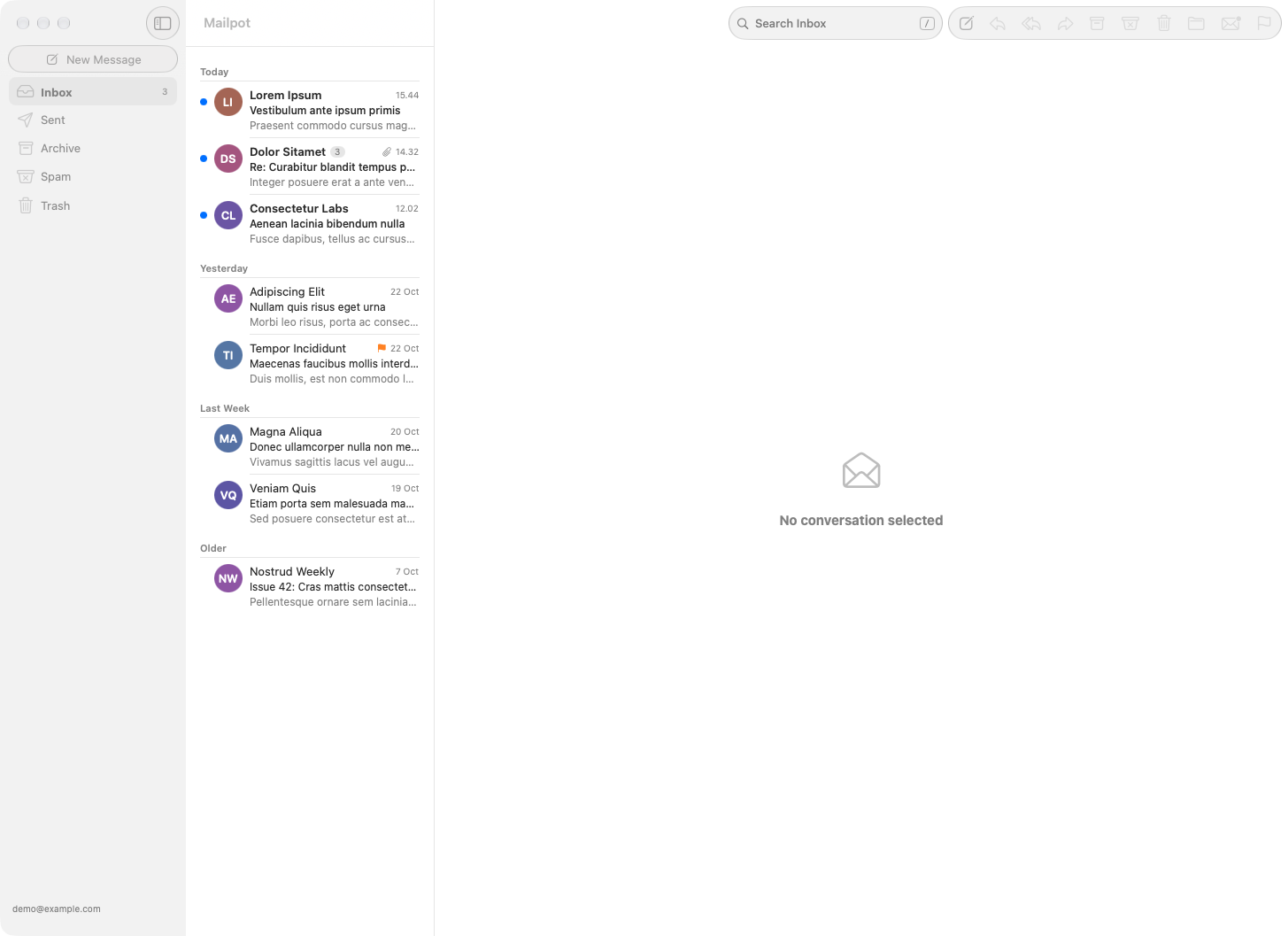
What It Is
A native macOS app written in SwiftUI, talking to Fastmail over JMAP. No web views, no Electron. JMAP has push, so new mail shows up the moment it arrives.
It also covers the Fastmail things i actually use:
- Masked Email — create and disable masked addresses right from the app
- Undo Send and Send Later
- Markdown — write in Markdown, send it formatted
- Search operators —
from:,in:Archive,has:attachment,is:unreadand so on - Calendar invitations and one-click unsubscribe
Keyboard First
This is the part i cared most about. I want to get through my inbox without touching the mouse, so every action has a shortcut:
| Key | Action |
|---|---|
j / k |
Next / previous conversation |
e |
Archive |
r / a / f |
Reply / reply all / forward |
c |
Compose |
v |
Move to folder |
g |
Go to folder |
/ |
Search |
cmd+enter |
Send |
? |
Show all shortcuts |
tab jumps between the sidebar, the list and the open conversation, and escape takes you back.
Don't like my bindings? Change them. Everything lives in ~/.config/mailpot/config.json:
{
  "keybindings": {
    "archive": "e",
    "reply": "r",
    "goToFolder": "g"
  }
}
It's a plain text file, so it can go into Git with the rest of your dotfiles. The Fastmail API token is not in there, it's stored in the macOS keychain.
No Tracking
Mailpot has no servers, no accounts and no analytics. It talks to Fastmail and nothing else, except checking for updates. Remote images are blocked until you load them.
Try It
It's free. You need macOS 26 on Apple silicon and a Fastmail account. Grab it from mailpot.app.